Best Silent Mechanical Keyboard for Office 2026: 7 Quiet Picks
By Jota Martínez • •

Mechanical keyboards are a joy to type on — the satisfying keystroke, the consistent feedback, the durability that outlasts any membrane board by years. But there is one problem that has kept them out of countless offices and shared workspaces: noise. The relentless clacking of Cherry MX Blues at an open-plan desk is enough to make any coworker lose their mind. If you work from home with thin walls, a noisy keyboard can bleed into video calls and disturb family members. The dream of a quiet mechanical keyboard for work has long felt like a contradiction — until now.
In 2026, silent mechanical switches have matured significantly. Manufacturers like Gateron, Cherry, and Kailh now produce switches with built-in rubber dampeners that absorb the sound at both the top and bottom of each keystroke. Pair these silent switches with a well-lubed stabilizer set, a gasket-mounted case, and a bit of acoustic foam, and you get a noiseless mechanical keyboard that feels premium without sounding like a typewriter. We tested seven quiet mechanical keyboards across every price point to find the best silent keyboard for WFH, shared offices, and noise-sensitive environments. Whether you need wireless connectivity, Mac compatibility, or a budget-friendly option, this guide has you covered.
Quick Comparison: The 7 Best Silent Mechanical Keyboards for Office
| Model | Layout | Switches | Wireless | Noise Level | Price |
|---|---|---|---|---|---|
| Keychron Q1 Pro | 75% | Gateron Silent Red | No | Very Low | ~$189 |
| Royal Kludge RK68 | 65% | Gateron Silent Brown | Yes (BT + 2.4G) | Low | ~$59 |
| NuPhy Air75 | 75% | Gateron LP Silent | Yes (BT 5.0) | Low | ~$119 |
| Keychron K3 Pro | 75% | Gateron LP Silent | Yes (BT 5.1) | Low | ~$94 |
| Keychron K8 Pro | TKL | Gateron Silent Red | Yes (BT 5.1) | Very Low | ~$99 |
| Durgod Taurus K320 | TKL | Cherry MX Silent Red | No | Very Low | ~$129 |
| SteelSeries Apex Pro | Full-size | OmniPoint Magnetic | No | Adjustable | ~$199 |
#1 — Best Overall Silent Keyboard: Keychron Q1 Pro with Gateron Silent Red
The Keychron Q1 Pro with Gateron Silent Red switches is our top pick for the best silent mechanical keyboard for office use in 2026, and it is easy to see why. At ~$189, the Q1 Pro features a gasket-mounted aluminum chassis that absorbs vibration and dampens sound before it reaches your desk. The Gateron Silent Red switches arrive pre-installed from the factory, each one fitted with rubber dampeners on both the top and bottom of the stem travel — eliminating the sharp "clack" that standard switches produce. The south-facing PCB ensures compatibility with Cherry-profile keycaps, and VIA firmware support lets you remap every key, create macros, and build custom layers for your workflow. **Pros:** Nearly inaudible keystroke, premium gasket mount construction, hot-swap PCB for future switch changes, full aluminum build, VIA programmable. **Cons:** Heavy at 1.8 kg (not ideal for carrying), wired only (no wireless), premium price. **Verdict:** The gold standard for a silent mechanical keyboard in a professional environment. If silence is your top priority and you want a keyboard that looks as good as it performs, the Q1 Pro is the one to beat.
| Layout | 75% |
|---|---|
| Switches | Gateron Silent Red |
| Wireless | No |
| Noise Level | Very Low |
| Price | ~$189 |
#2 — Best Budget Silent Keyboard: Royal Kludge RK68 with Gateron Silent Brown
The Royal Kludge RK68 paired with Gateron Silent Brown switches proves that a quiet mechanical keyboard for work does not require a premium budget. At ~$59, this 65% board delivers tri-mode connectivity (Bluetooth, 2.4 GHz, and USB-C), a hot-swap PCB compatible with 3-pin and 5-pin switches, and pre-installed acoustic foam inside the case to dampen resonance. The Gateron Silent Brown switches provide a gentle tactile bump without the audible click of traditional tactile switches — ideal for shared offices where you want feedback without noise. **Pros:** Exceptional value, hot-swap sockets for easy switch upgrades, tri-mode wireless, compact 65% layout saves desk space, pre-installed foam. **Cons:** Plastic chassis feels less premium, stock stabilizers benefit from lubing, ABS keycaps prone to shine over time. **Verdict:** The best entry point for anyone who wants a silent linear switches office experience without breaking the bank. Perfect for students, remote workers, and first-time mechanical keyboard buyers.
| Layout | 65% |
|---|---|
| Switches | Gateron Silent Brown |
| Wireless | Yes (BT + 2.4G) |
| Noise Level | Low |
| Price | ~$59 |
#3 — Best Wireless Silent Keyboard: NuPhy Air75 with Gateron Low-Profile Silent
The NuPhy Air75 with Gateron Low-Profile Silent switches is the best wireless silent keyboard for minimalists who refuse to compromise on aesthetics or silence. At ~$119, this ultra-thin board measures just 16mm in height — roughly the thickness of a laptop — yet delivers a genuinely satisfying mechanical typing experience. The low-profile silent switches are fitted with dampeners that reduce keystroke noise to a whisper, while Bluetooth 5.0 connects up to three devices simultaneously. The 200-hour battery life means you can go weeks between charges. **Pros:** Ultra-thin and portable, Bluetooth 5.0 multi-device connectivity, 200-hour battery life, stunning low-profile aesthetic, quiet even without additional mods. **Cons:** Low-profile switches limit keycap compatibility, no hot-swap on the base model, slightly higher price than comparable wired boards. **Verdict:** If you want a noiseless mechanical keyboard that looks like it belongs on a magazine cover and connects wirelessly to your MacBook, iPad, and desktop PC, the Air75 is the one.
| Layout | 75% |
|---|---|
| Switches | Gateron LP Silent |
| Wireless | Yes (BT 5.0) |
| Noise Level | Low |
| Price | ~$119 |
#4 — Best Silent Keyboard for Mac and Office: Keychron K3 Pro
The Keychron K3 Pro is purpose-built for Mac users who need a silent mechanical keyboard that integrates seamlessly with macOS. At ~$94, this low-profile board includes Mac-specific keycaps out of the box, a dedicated Mac/Windows toggle switch, and multi-device Bluetooth that lets you jump between your MacBook, iMac, and iPad with a single keystroke. The Gateron low-profile silent switches provide a smooth, quiet typing experience with a short travel distance that feels natural to laptop keyboard users transitioning to mechanical. **Pros:** Native Mac function key support, Mac/Windows toggle, multi-device Bluetooth, low-profile design, affordable price. **Cons:** Low-profile switches have limited aftermarket options, no 2.4 GHz dongle, plastic case. **Verdict:** The best silent keyboard for Mac and office environments where macOS integration matters as much as noise levels.
| Layout | 75% |
|---|---|
| Switches | Gateron LP Silent |
| Wireless | Yes (BT 5.1) |
| Noise Level | Low |
| Price | ~$94 |
#5 — Best Silent TKL Keyboard: Keychron K8 Pro with Silent Switches
The Keychron K8 Pro with silent switches is the ideal TKL (tenkeyless) option for office workers who need a full function row without the noise. At ~$99, the K8 Pro drops the numpad but keeps F1-F12 keys, arrow keys, and a navigation cluster — the perfect layout for professionals who rely on keyboard shortcuts in Excel, IDEs, and design software. The hot-swap PCB accepts any MX-compatible silent switch, so you can install Gateron Silent Red, Cherry MX Silent Red, or enthusiast favorites like the Boba U4 Silent tactile. **Pros:** Full F-key row for shortcuts, hot-swap PCB, Bluetooth 5.1 multi-device, solid build quality, Mac/Windows compatible. **Cons:** TKL is wider than 65%/75% boards, stabilizers may need lubing, no 2.4 GHz option. **Verdict:** If you cannot live without your function keys but refuse to disturb your colleagues, the K8 Pro with silent switches delivers the best of both worlds.
| Layout | TKL |
|---|---|
| Switches | Gateron Silent Red |
| Wireless | Yes (BT 5.1) |
| Noise Level | Very Low |
| Price | ~$99 |
#7 — Best Adjustable Silent Keyboard: SteelSeries Apex Pro
The SteelSeries Apex Pro takes a different approach to quiet typing: instead of using dedicated silent switches, its OmniPoint magnetic (Hall Effect) switches let you adjust the actuation point from 0.2mm to 3.8mm via the onboard OLED screen or companion software. At ~$199, this is not a "silent" keyboard by design — but by raising the actuation point and typing with a lighter touch, you can reduce keystroke noise to a level that rivals dedicated silent boards. The Hall Effect magnetic switches also offer analog input for gaming, making this the most versatile keyboard on the list. **Pros:** Adjustable actuation point, OLED display for quick settings, analog input for gaming, per-key customization, excellent build quality. **Cons:** Expensive, not inherently silent (requires technique adjustment), full-size only (no compact option), software required for advanced settings. **Verdict:** If you want one keyboard that can be loud for gaming at home and quiet for work in the office — and you do not mind paying a premium for that flexibility — the Apex Pro is uniquely capable.
| Layout | Full-size |
|---|---|
| Switches | OmniPoint Magnetic |
| Wireless | No |
| Noise Level | Adjustable |
| Price | ~$199 |
Understanding Silent Switches: What Makes a Mechanical Keyboard Quiet?
Not all mechanical switches are created equal when it comes to noise. A standard switch produces sound in two main ways: the "top-out" when the key returns to its resting position, and the "bottom-out" when the key hits the base of its travel. Silent switches address both of these by adding small rubber dampeners (also called silicone pads or sound dampeners) to the stem of the switch. These dampeners cushion the impact at both ends of the keystroke, absorbing the energy that would otherwise create audible noise.
There are two main categories of silent switches. **Silent linear switches** like the Gateron Silent Red and Cherry MX Silent Red provide a smooth, consistent keystroke from top to bottom with no tactile bump — they are the quietest option available and ideal for fast typists who bottom out frequently. **Silent tactile switches** like the Gateron Silent Brown and Boba U4 Silent add a gentle bump partway through the keystroke, giving your fingers feedback that the key has registered without the sharp click of a traditional tactile or clicky switch. If you are coming from Cherry MX Brown, a silent tactile will feel familiar but noticeably quieter.
Curious about switch types in general? Our keyboard switches guide covers every major switch category in detail. For a deep dive into how linear, tactile, and clicky switches compare, see our linear vs tactile vs clicky comparison. The short version: if noise is your primary concern, silent linear switches win by a wide margin. If you need tactile feedback for accuracy, silent tactile switches offer a compelling middle ground.
How to Make Any Mechanical Keyboard Quieter
Already own a mechanical keyboard that is too loud? You do not need to buy a new one. With a few simple modifications, you can reduce the noise of almost any mechanical keyboard by 30-50%. Here are the most effective methods:
- Lube your switches and stabilizers. This is the single most impactful mod for noise reduction. A thin layer of Krytox 205g0 on switch housings and stems eliminates scratch noise and smooths out the keystroke. Stabilizer lubing is even more important — the rattle of an unlubed spacebar is often louder than the switches themselves. See our complete how to lube switches guide for step-by-step instructions.
- Apply the tape mod. Placing 2-3 layers of painter's tape on the back of the PCB absorbs vibrations and changes the sound profile of the board, often making it deeper and quieter. The tape mod guide explains exactly how to do this safely.
- Add case foam. Filling the empty space inside your keyboard case with foam (poron, neoprene, or even packing foam) eliminates the hollow resonance that amplifies keystroke noise. The foam mod guide covers every approach from simple to advanced.
- Install O-rings on keycaps. These small rubber rings sit between the keycap and the switch stem, reducing the travel distance and cushioning the bottom-out. They are cheap and easy to install, but they do shorten key travel and can make the keyboard feel slightly mushier — a trade-off worth considering.
- Use a desk mat. A thick desk mat or desk pad underneath your keyboard absorbs vibrations that transfer through the case into your desk, which can act as a sound amplifier. This is the simplest and cheapest improvement you can make.
How to Choose the Right Silent Keyboard for Your Office
Not every silent keyboard is right for every office. Before you buy, answer these four questions to narrow down your perfect match:
Do you work in a shared office or alone at home?
If you share your workspace with others, silence is non-negotiable. Choose a board with dedicated silent switches like the Keychron Q1 Pro or Durgod Taurus K320. If you work from home alone, you have more flexibility — you might prefer a board that is quiet but not whisper-silent, like the SteelSeries Apex Pro with adjustable actuation.
Do you need wireless connectivity?
Wireless keyboards reduce desk clutter and work well with standing desks or multi-device setups. Bluetooth 5.0+ delivers under 10ms latency — fine for typing and office work. For the best wireless silent keyboard, the NuPhy Air75 offers Bluetooth 5.0 with 200-hour battery life. If you prefer a clean wired connection and maximum reliability, the Durgod Taurus K320 and Keychron Q1 Pro are excellent choices.
Do you prefer linear or tactile silent switches?
Silent linear switches (like Gateron Silent Red or Cherry MX Silent Red) are the smoothest and quietest option — ideal for fast typists and anyone who does not need physical feedback. Silent tactile switches (like Gateron Silent Brown or Boba U4 Silent) provide a subtle bump that tells your fingers the key has registered, which many typists prefer for accuracy. There is no wrong answer — it comes down to personal preference. See our linear vs tactile vs clicky guide for a detailed comparison.
What is your budget?
Silent mechanical keyboards range from ~$59 to ~$199. The Royal Kludge RK68 at ~$59 is the best budget option with silent switches and hot-swap support. Mid-range buyers should look at the Keychron K8 Pro at ~$99 or the NuPhy Air75 at ~$119. For the ultimate silent typing experience, the Keychron Q1 Pro at ~$189 is worth every penny.
Looking for a compact silent board? Check our best 65% mechanical keyboards guide — many of those picks can be configured with silent switches for an even quieter office experience.
Ready to upgrade to a silent mechanical keyboard?
Our complete mechanical keyboard buying guide walks you through every decision — from switch types and layouts to wireless connectivity and budget. Find your perfect keyboard in minutes.
Read the Complete Buying Guide →Frequently Asked Questions About Silent Mechanical Keyboards
Related Articles
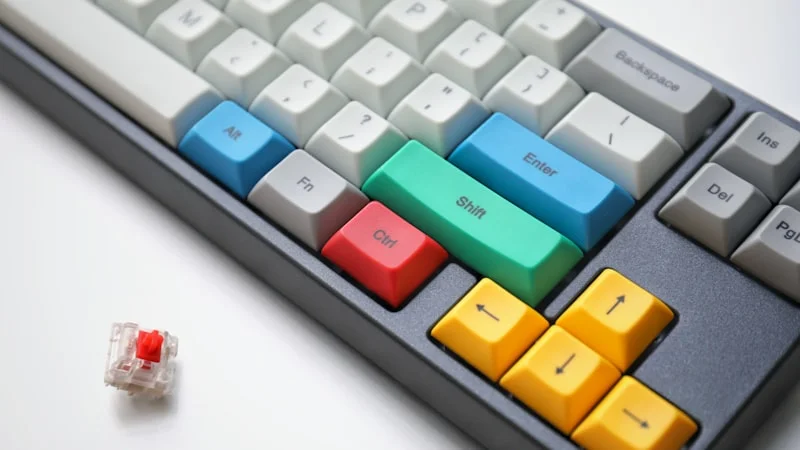
Best 65% Mechanical Keyboards 2026: Top 7 Picks
The 7 best 65% mechanical keyboards of 2026, hands-on tested. From budget picks under $50 to premium wireless — find your perfect compact keyboard.
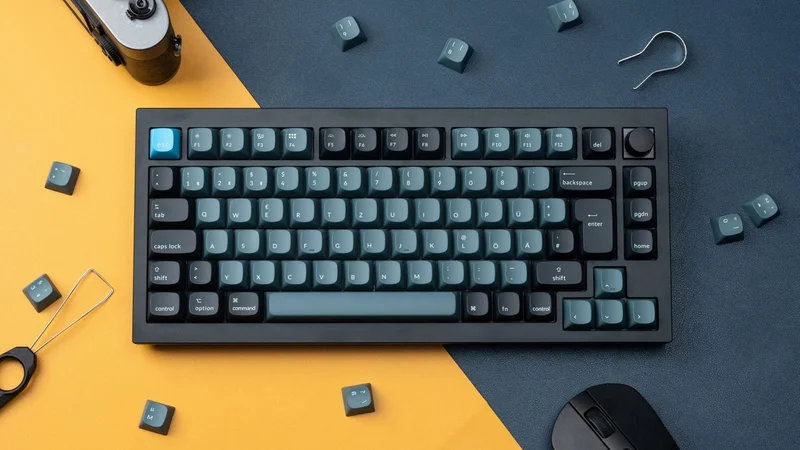
Best 75% Mechanical Keyboards 2026: Top 7 Picks
The 7 best 75% mechanical keyboards of 2026, hands-on tested. From budget picks under $60 to premium wireless — find your perfect compact keyboard.

How to Choose a Mechanical Keyboard: A Complete Step-by-Step Guide
Not sure how to pick a mechanical keyboard? This 2026 guide walks through use case, budget, layout, switches and connectivity in 6 clear steps.
As an Amazon Associate we earn from qualifying purchases. Prices and availability are subject to change. Product links are affiliate links.