How Mechanical Keyboard Switches Work: Inside Every Keystroke
By Jota Martínez • • Blog
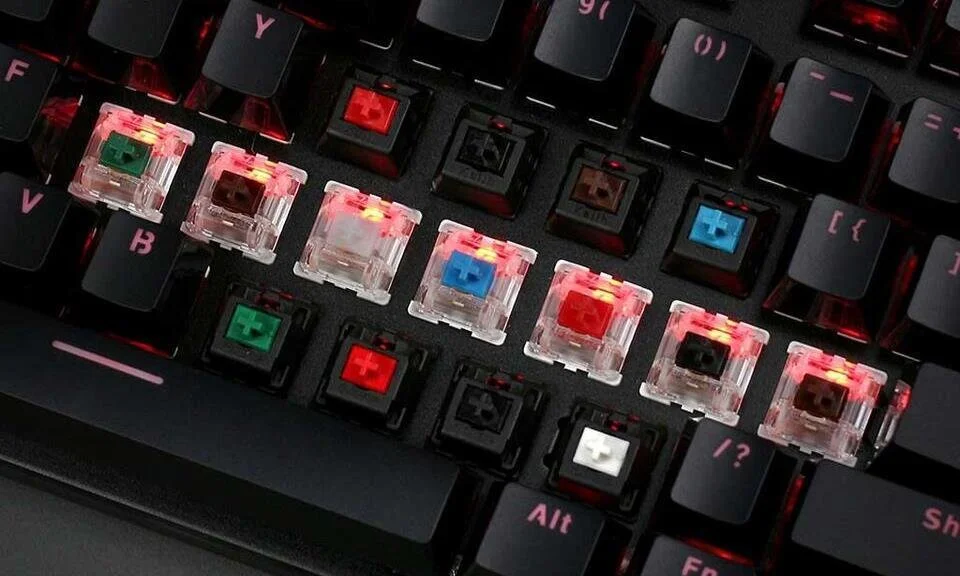
Every keystroke on a mechanical keyboard involves four pieces of plastic and one spring interacting in a sequence that takes about 40 milliseconds. Understanding that sequence changes how you evaluate switches — it turns abstract terms like "actuation force" and "tactile bump" into concrete, predictable sensations.
This guide explains the mechanics from the inside out: what each component does, what happens during a keypress, and exactly how linear, tactile, and clicky switches differ at the physical level.
The 4 Components of a Mechanical Switch
Every Cherry MX-compatible mechanical switch — regardless of brand or type — is built from the same four parts.
What Happens During a Keystroke
Here is the sequence, from start to finish, every time you press a key:
| 01 | Resting state: the spring pushes the stem fully upward. The keycap sits at its maximum height. |
| 02 | Pre-travel: you begin pressing. The stem moves downward along the housing rails. The spring starts compressing. Nothing has been registered yet. |
| 03 | Actuation point: the stem has traveled a specific distance (typically 1.8–2.2mm) and the two metal contacts inside the bottom housing close. The electrical circuit completes and the keystroke is registered by the computer. This is the moment of input. |
| 04 | Post-travel: the stem continues downward until it hits the bottom of the housing (bottom-out). Total travel is typically 4mm. |
| 05 | Release: you lift your finger. The spring extends, pushing the stem back up. At a specific point (the reset point, slightly above the actuation point), the contacts separate and the key is ready to register again. |
Key Specifications Explained
Switch specifications describe where in the travel these events happen. Here is what each measurement means.
| Spec | What it means | Typical value |
|---|---|---|
| Actuation Force | Force required to register a keystroke (at the actuation point) | 35–60g |
| Pre-travel | Distance the stem travels before actuation | 1.8–2.2mm |
| Total Travel | Full distance from rest to bottom-out | 4.0mm |
| Reset Point | How far the key must rise before it can register again | ~0.3mm above actuation |
| Tactile Force (tactile only) | Peak force required at the bump — always higher than actuation force | 45–67g |
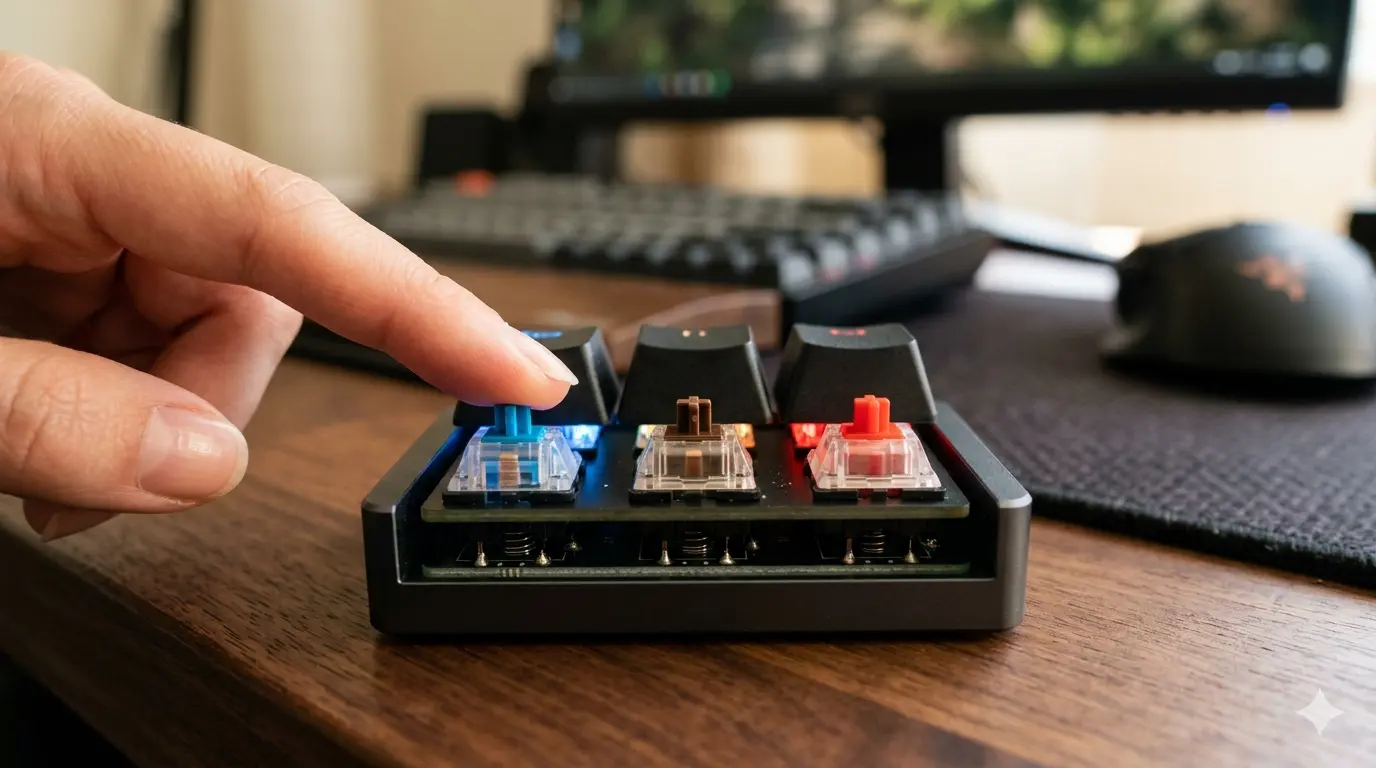
Linear, Tactile and Clicky: How Each Works
The switch type is determined entirely by the shape of the stem and the presence of a click mechanism. The housing, spring, and actuation depth are nearly identical across types.
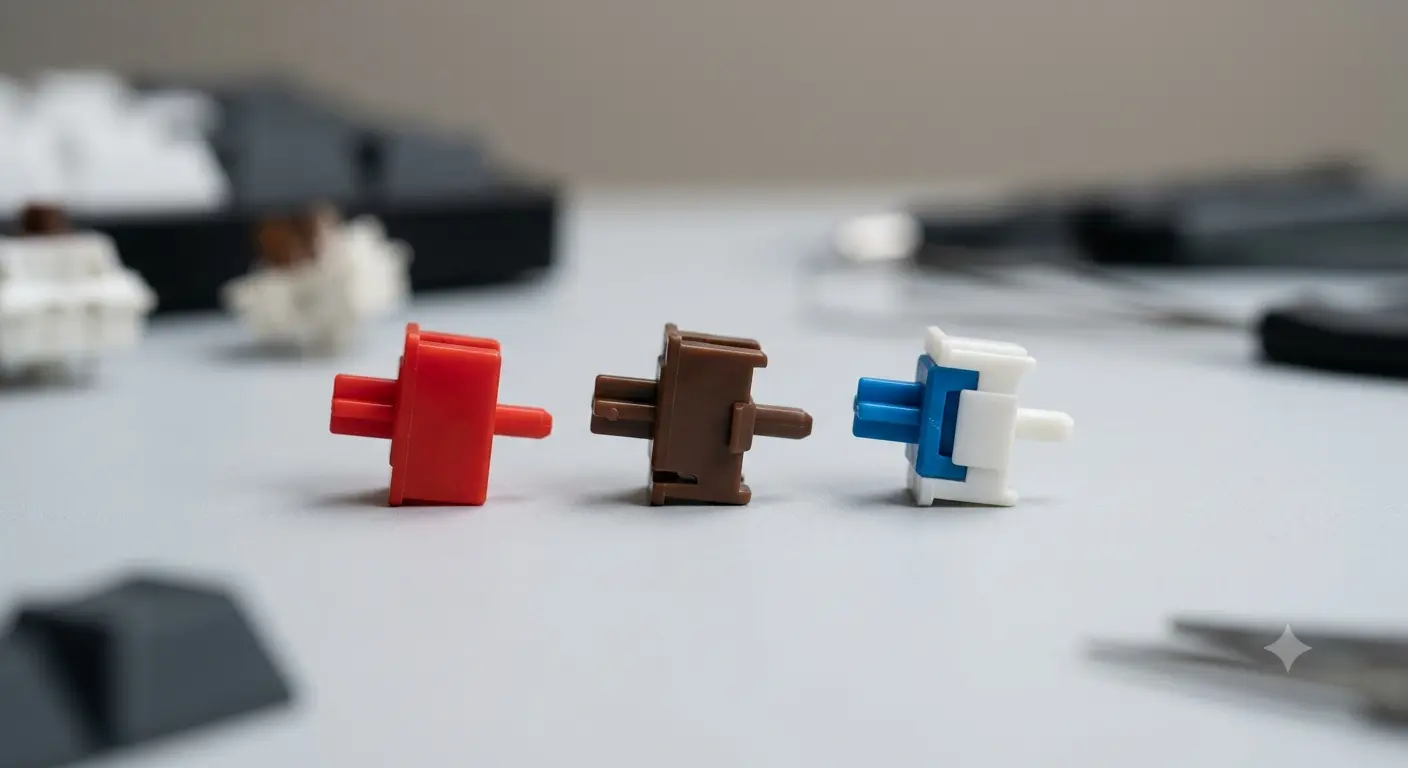
3 switch types' stem profiles
The simplest mechanism. The stem has straight legs that slide down the housing rails without any interruption. From the first millimeter to the last, the resistance is constant (increasing only as the spring compresses). There is no tactile feedback, no audible click — just smooth, consistent travel.
Examples: Cherry MX Red (45g), Gateron Yellow (35g), Gateron Black (60g), Kailh Speed Silver (40g). Linear switches are preferred for gaming (no bump = no hesitation) and by typists who prefer learning their own rhythm rather than relying on physical feedback.
The stem has two small legs with a pronounced bump shaped into them. As the stem travels down, those legs press against a corresponding bump inside the bottom housing. This momentary resistance — and then release — creates the tactile event: a physical indication that the actuation point is near.
The tactile bump occurs at or just before the actuation point, depending on switch design. After the bump, the stem continues smoothly to the bottom. Examples: Cherry MX Brown (45g actuation, 55g tactile), Gateron Brown, Boba U4 (silent tactile), Topre (electrostatic capacitive, different mechanism but tactile result).
Important nuance: Cherry MX Brown has a very subtle bump — many enthusiasts consider it barely perceptible. Switches like the Boba U4 or Holy Pandas have much stronger tactile events that are clearly defined.
Two main mechanisms exist. The Cherry mechanism uses a click jacket: a secondary plastic piece that surrounds part of the stem and clicks against the housing walls during travel, producing a sharp, high-pitched click at the moment of actuation.
The Kailh Box mechanism uses a click bar: a thin metal spring inside the housing that snaps sharply when the stem passes it. This produces a louder, crisper click and is considered mechanically more consistent than the jacket method.
Both mechanisms produce sound twice per key press: once going down (at actuation) and once coming back up (at reset). Examples: Cherry MX Blue (50g), Kailh Box White (45g), Kailh Box Navy (60g, heavy clicky).
Which Switch Type Should You Choose?
The answer depends on your primary use case and work environment, not personal mythology about which type is "better".
| Use case | Recommended type | Why |
|---|---|---|
| Competitive gaming | Linear | No bump to interrupt fast, repeated actuations |
| Long-form typing | Tactile | Feedback reduces fatigue over thousands of keystrokes |
| Open-plan office | Silent linear or silent tactile | Quieter than membrane; won't disturb colleagues |
| Programming | Tactile or linear | Personal preference; tactile helps with rhythm |
| Dedicated typist (at home) | Clicky | Maximum feedback; only if noise is not a concern |
Frequently Asked Questions
Not sure which keyboard to buy after reading this? ? Read our step-by-step buying guide
Want to improve your switches further? ? How to lube mechanical switches
Best Mechanical Keyboards 2026Related Articles
Hall Effect Switches Explained: The 2026 Buyer's Guide
Discover what Hall Effect switches are, how they work, their advantages and the best models of 2026. Complete guide to choose your next magnetic keyboard.
Complete Guide to Keyboard Switches (2026)
Everything about mechanical keyboard switches: how they work, all switch types, key specs, top brands (Cherry, Gateron, Kailh), and how to choose the right one.
Linear vs Tactile vs Clicky Switches: Which Is Best?
Linear, tactile, or clicky switches — what's the real difference? A practical breakdown of all three switch types with top picks for gaming, typing, and office use.