How to Type Faster with a Mechanical Keyboard: Technique & Practice
By Jota Martínez • • Mechanical Keyboards Guide
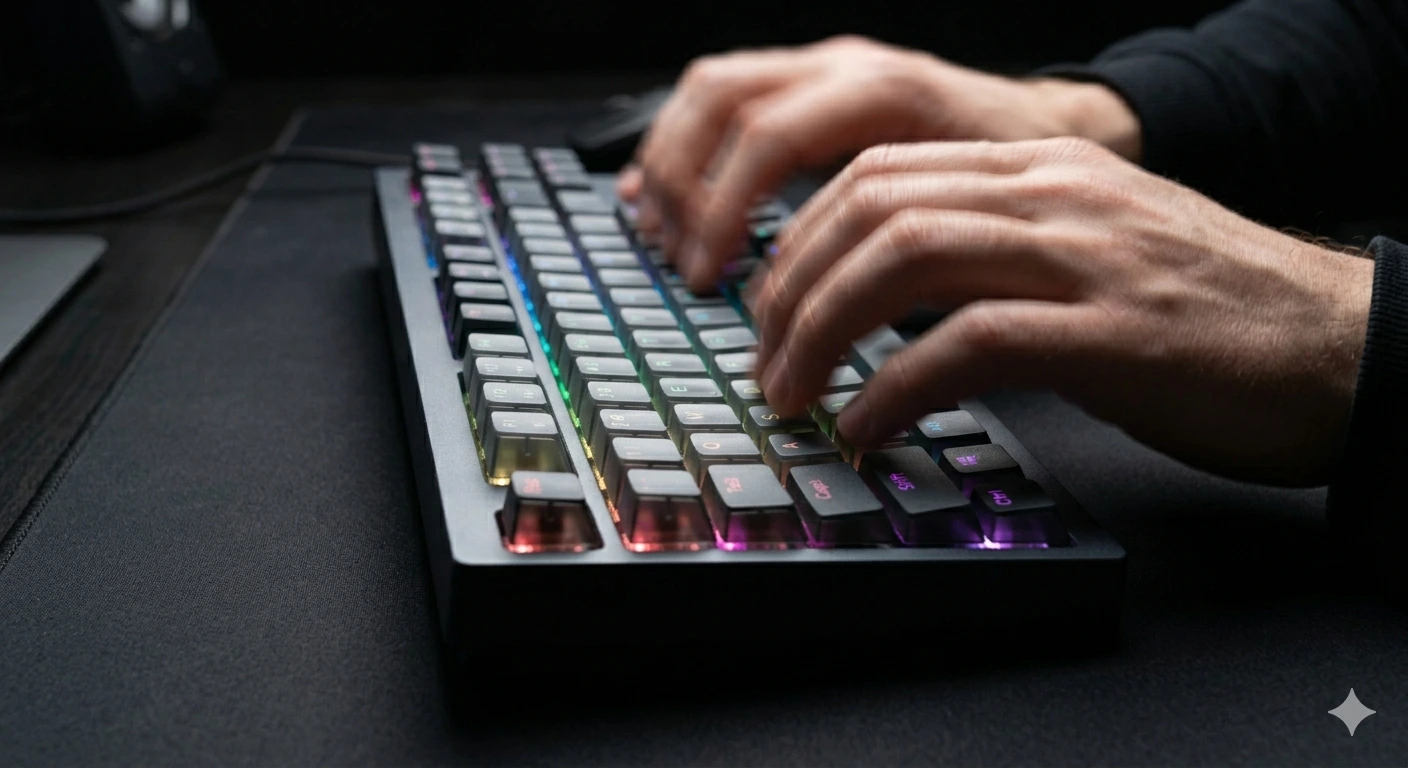
A mechanical keyboard won't automatically make you type faster. But the combination of tactile feedback, lower actuation forces, and better build quality creates the ideal environment for developing speed — if you pair it with the right technique and consistent practice.
This guide covers everything that actually moves the needle: posture, touch typing, switch selection, and the practice tools that top typists use. We'll include WPM benchmarks so you know where you are and where you're heading.
The honest truth: going from 40 WPM to 80 WPM takes about 3 months of 15 minutes per day. Going from 80 to 120 takes another 6–12 months. There are no shortcuts — but there are approaches that are dramatically more efficient than others.
Start With Posture — Everything Else Depends on It
Poor posture creates tension in your wrists and forearms that limits both speed and endurance. You can't type fast if your wrists are bent upward (extended) or if your elbows are too high or too low. Before thinking about technique, fix your setup.
These four adjustments will eliminate the most common posture problems:
| Wrist position | Keep wrists neutral (flat) or slightly negative (angled down toward the keyboard). Avoid bending wrists upward to reach keys — this compresses the carpal tunnel. |
| Elbow angle | Elbows should be at or slightly above desk height, at roughly 90–100°. Raise your chair or lower your desk. A keyboard tray helps. |
| Keyboard tilt | Fold the keyboard feet in. A flat or slight negative tilt is better than the positive tilt (back feet raised) that most people use by default. |
| Wrist rest | Use a wrist rest only when pausing — not while actively typing. Resting wrists while typing adds friction and slows you down. |
Touch Typing: The Non-Negotiable Foundation
Touch typing — placing your fingers on the home row (ASDF / JKL;) and reaching all keys from that position without looking — is the single biggest unlock for typing speed. Hunt-and-peck typists have a hard ceiling around 40–50 WPM because each keystroke requires a visual search.
If you're already touch typing: focus on minimizing finger travel. Keep fingers close to the home row. Avoid lifting your palm. The fastest typists barely move their hands at all — they reach with individual fingers while anchoring the others.

Home row anchor: index fingers rest on F and J (the keys with tactile bumps). All other keys are reached from this position without repositioning the entire hand.
Does Your Switch Choice Actually Matter for Speed?
Yes — but less than posture and technique. Switch choice affects actuation force and feedback, which influences how hard you press and how quickly you release each key. Here's how the main categories compare for typing speed:
| Switch type | Examples | Speed verdict |
|---|---|---|
| Linear | Red, Speed Silver, Gateron Yellow | Fastest for burst typing. No tactile bump means shorter stroke top-speed. Risk: accidental keypresses if you bottom out heavily. |
| Tactile | Brown, Boba U4, Holy Panda | The sweet spot for most typists. The bump gives you confirmation of actuation without bottoming out — reduces errors, which increases effective speed. |
| Clicky | Blue, Green, Kailh Box White | The click is after the actuation point, not at it. Doesn't help speed. Loud in shared environments. |
Our recommendation for speed: start with a 45g–55g tactile switch (Cherry MX Brown, Gateron Brown, or Boba U4T). The tactile bump trains you to release the key at the actuation point rather than bottoming out on every stroke. This alone can add 10–15 WPM over time.
The Best Practice Tools (and How to Use Them)
Random practice produces random results. These four tools have structured approaches that target the specific weaknesses holding you back:
WPM Benchmarks: Where Do You Stand?
WPM (words per minute) is measured using 5-character words. 60 WPM = 300 characters per minute. Here are the benchmarks used by most typing communities:
| WPM | Level | Context |
|---|---|---|
| 0–30 | Beginner | Learning keyboard positions. Most hunt-and-peck typists. |
| 30–60 | Average | Typical adult typist. Sufficient for most office work. |
| 60–90 | Proficient | Above average. Most professionals target this range. |
| 90–120 | Fast | Top 10% of typists. Comfortable touch typing with low error rates. |
| 120+ | Elite | Stenographers, transcriptionists, competitive typists. Takes years of deliberate practice. |
The 5 Habits That Cap Your Speed
These are the most common patterns that prevent typists from improving past their current plateau: (1) Looking at the keyboard. Every glance down breaks your flow and costs 0.3–0.5 seconds. Cover your hands if necessary. (2) Prioritizing speed over accuracy. Errors slow you down more than slow-but-accurate strokes. Keep error rate below 3%. (3) Typing in short sessions only. Muscle memory builds over time. 15 minutes daily beats 2 hours once a week. (4) Not warming up. Cold fingers make more errors. Spend 2–3 minutes on easy words before timed tests. (5) Wrong finger assignments. Many self-taught typists use wrong fingers for specific keys without realizing it. Record yourself and check.
The biggest unlock for most people stuck at 50–60 WPM is simply eliminating the "looking down" habit. Tape paper over your hands for one week. It feels awful. Your WPM will drop temporarily. Within 10 days you'll have broken the habit permanently.
The right keyboard setup matters for sustained typing. Our Complete Mechanical Keyboards Guide covers everything you need to know before buying. If you're picking your first board, How to Choose a Mechanical Keyboard walks through the decision in 6 steps. And to understand what makes some switches faster to type on, read How Mechanical Switches Work.
Frequently Asked Questions
Find a keyboard that matches your typing style
From 45g tactile switches to ultra-light linears — our best keyboards list has a tested pick for every typing preference and budget.
See Best Keyboards 2026 ?By Jota Martínez • Published June 15, 2026
Related Articles
Mechanical Keyboard Mods Guide: 6 Easy Mods for Better Sound & Feel
Learn 6 beginner-friendly keyboard mods: switch lubing, tape mod, foam mod, stabilizer tuning, switch films & band-aid mod. Improve sound and typing feel.
How to Fix a Key That Doesn't Work: Diagnostic Guide
Key stopped working on your mechanical keyboard? Follow this 6-step diagnostic guide — software checks, switch cleaning, PCB inspection, and when to replace.
How to Build a Custom Mechanical Keyboard: Complete Guide
Step-by-step guide to building your first custom mechanical keyboard: parts list, what to buy, stabilizer prep, switch install, and assembly order with budget tiers.