Mechanical Keyboards and RSI: What the Science Actually Says
By Jota Martínez • • How to Choose a Mechanical Keyboard
Repetitive Strain Injury (RSI) is a genuine concern for anyone who types heavily. Mechanical keyboards are often marketed — and recommended in enthusiast communities — as an ergonomic solution. The truth is more nuanced than either enthusiasts or skeptics suggest.
This article examines what peer-reviewed research actually says about keyboards and RSI, what specific switch characteristics matter, and what ergonomists consistently identify as the most important factors — factors that have nothing to do with whether your keyboard is mechanical.
? Medical disclaimer
This article is for educational purposes only and does not constitute medical advice. If you are experiencing pain, numbness, or discomfort related to computer use, consult a qualified healthcare professional.
What Is RSI and Who Gets It?
Repetitive Strain Injury is an umbrella term covering musculoskeletal conditions caused by repetitive motion, sustained static posture, or overuse of specific muscle groups. The three most common RSI conditions for keyboard users are:
Risk factors consistently identified in occupational health research include: typing force applied per keystroke, sustained non-neutral wrist posture, duration of uninterrupted keyboard use, total daily keystroke count, and inadequate recovery time between typing sessions.
| Carpal Tunnel Syndrome (CTS) | Compression of the median nerve at the wrist, causing numbness, tingling, and weakness in the thumb and first three fingers. The most commonly cited keyboard-related RSI. |
| Tendinitis / Tendinopathy | Inflammation or degeneration of tendons in the wrist, forearm, or shoulder. Often associated with sustained forceful typing or extreme wrist angles. |
| Cubital Tunnel Syndrome | Compression of the ulnar nerve at the elbow, causing numbness in the ring and little fingers. Often caused by sustained elbow flexion — including resting elbows on a desk while typing. |
Note that these risk factors are largely independent of whether the keyboard is mechanical or membrane. A membrane keyboard used with excellent posture causes less RSI risk than a mechanical keyboard used with poor technique.
Do Mechanical Switches Actually Help?
There are two mechanisms by which mechanical switches could theoretically reduce RSI risk compared to membrane keyboards: lower actuation force (reducing the muscular effort per keystroke) and tactile feedback (signaling registration before bottom-out, potentially reducing the force users apply).
The evidence on both is real but modest. Here is how different switch types compare:
| Switch Type | Actuation Force | Bottom-Out Force | RSI Consideration |
|---|---|---|---|
| Light Linear (e.g. Gateron Yellow) | 35–45g | 45–65g | Lowest force per keystroke; no tactile cue to avoid bottoming out. Good for reducing total force load. |
| Tactile (e.g. Cherry MX Brown) | 40–55g | 55–65g | Tactile bump signals registration — trained typists may press less forcefully. Moderate overall force. |
| Clicky (e.g. Cherry MX Blue) | 45–60g | 60–75g | Clear audible + tactile registration signal. Slightly higher actuation force than light linears; not office-appropriate. |
| Silent Linear (e.g. Gateron Silent Red) | 35–45g | 45–60g | Lowest force with built-in dampening; minimal bottom-out impact. Good all-around RSI profile. |
| Heavy Switch (e.g. Cherry MX Black) | 65–80g | 80–100g | High actuation force increases muscular effort per keystroke. Generally not recommended for RSI prevention. |
The Typing Angle Problem
Wrist posture during typing is consistently identified in occupational health literature as a more significant RSI risk factor than the type of keyboard being used. The two main problematic positions are wrist extension (bending the wrist upward, away from the neutral position) and ulnar deviation (bending the wrist sideways toward the little finger).
The vast majority of conventional keyboards — whether mechanical or membrane — are designed with a slight positive tilt (feet at the back raise the keyboard rear). This configuration promotes wrist extension for most users, particularly those who type with wrists resting on a surface. This is the opposite of what ergonomists recommend.
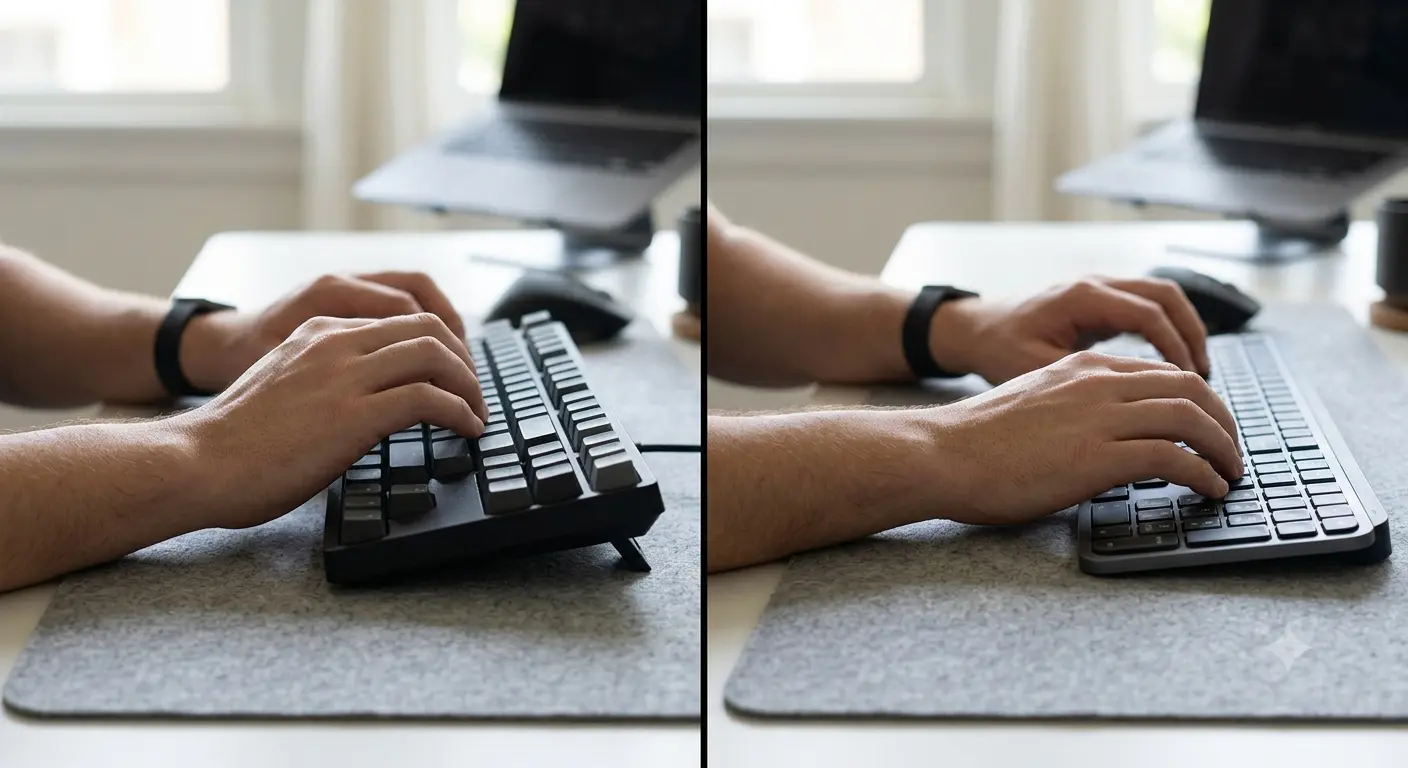
Wrist extension (left) vs neutral wrist position (right). The keyboard tilt angle significantly affects which you default to.
For detailed guidance on tilt angles and how to achieve a neutral wrist position, see our dedicated guide: Keyboard Tilt Angle Ergonomics →.
Keyboards That Are Designed to Help with RSI
Beyond switch choice, certain keyboard form factors address the structural causes of typing-related RSI:
What Actually Prevents RSI
The evidence-based interventions for RSI prevention, ranked by research support, are:
The Evidence on Mechanical vs Membrane Keyboards for RSI
Direct comparative studies on mechanical versus membrane keyboards and RSI rates are limited. Most keyboard ergonomics research compares standard versus split/tented designs, or examines keystroke force and its relationship to CTS risk, rather than comparing mechanical to membrane specifically.
What the available evidence suggests: keyboards with lower actuation forces reduce the total muscular load of a typing session, which is a positive RSI factor. Keyboards with tactile feedback may reduce bottoming-out frequency in trained typists, which reduces impact force transmitted to the wrist structures. Both of these characteristics can be found in mechanical keyboards — but also in some membrane keyboards with low activation force.
The bottom line from the research: posture, break frequency, and total daily keystroke volume are more significant RSI determinants than keyboard type. A mechanical keyboard used with poor posture and no breaks will not prevent RSI. An ergonomic keyboard used correctly, with frequent breaks and neutral wrist position, offers real protection — regardless of whether it uses mechanical switches.
For help selecting the right keyboard for your use case, our How to Choose a Mechanical Keyboard guide walks through every decision factor. Our Complete Mechanical Keyboards Guide covers the full landscape. And for specific guidance on tilt and posture, read: Keyboard Tilt Angle Ergonomics →.
Frequently Asked Questions
Choosing a Keyboard That Works for Your Hands
Switch weight, form factor, and keyboard design all affect RSI risk. Our step-by-step buying guide helps you choose the right keyboard for your specific use case and typing style.
How to Choose a Mechanical Keyboard → ?By Jota Martínez • Published June 14, 2026 • See: Keyboard Tilt Angle Guide ?
Related Articles
What Is a Mechanical Keyboard? The Complete Beginner's Guide
What is a mechanical keyboard? Learn how they work, the anatomy of each part, the three switch types, and how mechanical keyboards differ from membrane.
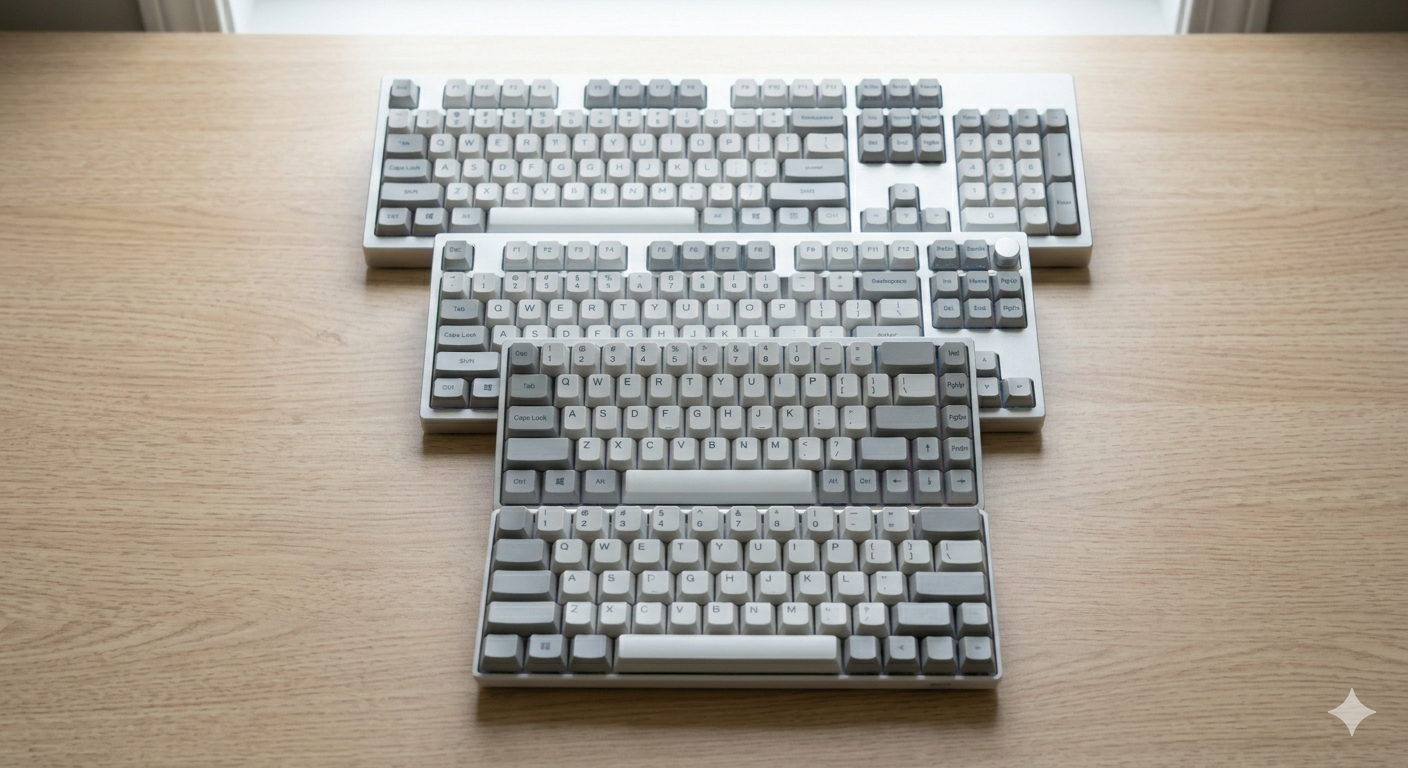
Keyboard Sizes Explained: 60%, 65%, 75%, TKL, Full-Size and More
Complete guide to keyboard sizes and layouts: 100%, TKL, 75%, 65%, 60%, 40% — what each size includes, what it drops, and which layout is right for you.

Why Are Mechanical Keyboards So Expensive?
Why do mechanical keyboards cost so much? We break down every cost factor — switches, PCBs, cases, keycaps, and why premium keyboards can cost $500+.