Why Are Mechanical Keyboards So Expensive?
By Jota Martínez •
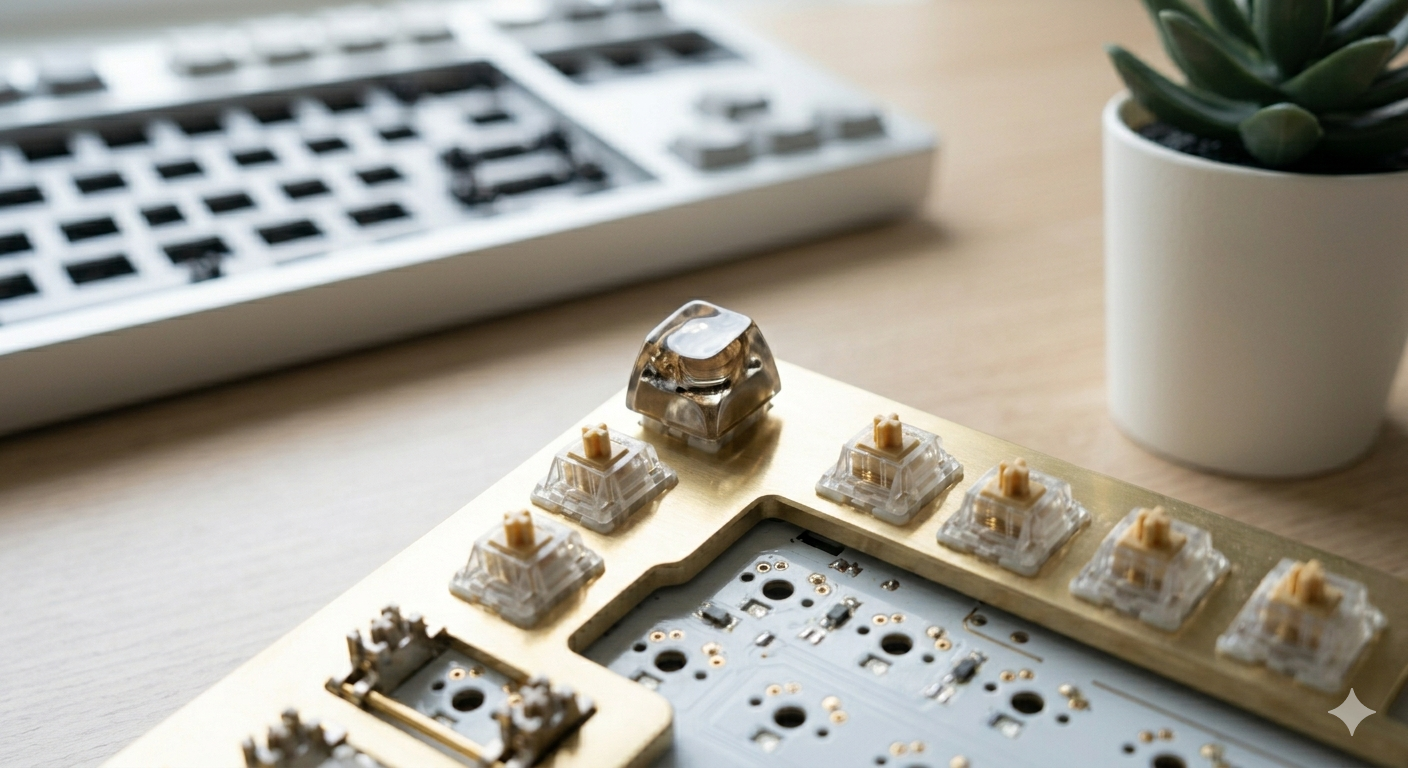
A basic membrane keyboard costs $10. A decent mechanical keyboard costs $80–$150. A premium mechanical keyboard can cost $300–$800+. If you've ever asked why a keyboard — just a keyboard — can cost as much as a laptop, this article explains exactly where the money goes.
The short answer: every component in a mechanical keyboard is more expensive to design, manufacture, and assemble than its membrane equivalent. When you're paying $300 for a keyboard, you're paying for 5–8 individual premium components, not one.
1. The Switches: The Most Expensive Core Component
A membrane keyboard has a single rubber dome sheet under all the keys — one component, pennies to manufacture. A mechanical keyboard has an individual electromechanical switch under every single key. A full-size keyboard has 104 switches; a TKL has 87; a 60% has 61. Even at $0.45 per switch (budget Cherry MX territory), that's $27–$47 just in switches for a bare layout.
Premium switches cost more. Gateron Oil Kings run $0.60–$0.80 per switch. Topre switches (used in keyboards like the Happy Hacking Keyboard) are even more expensive — part of why HHKB keyboards cost $200–$300. High-end linear switches like Holy Pandas hit $1.00+ per switch. Multiply by 60–104 and the switch cost alone can be $60–$100+ on a premium build.
2. The PCB: Custom Silicon, Not Off-the-Shelf
A typical mechanical keyboard PCB is a custom-designed printed circuit board built for a specific layout and switch footprint. It can't share designs with membrane keyboards — the hole patterns, mounting points, and layout configurations are unique per keyboard. Small production runs mean tooling costs are spread across fewer units. Hot-swap PCBs (with switch sockets instead of soldered contacts) add Kailh hot-swap socket components and additional assembly steps. A decent custom PCB with hot-swap costs $25–$50 to produce even at reasonable volume.
3. The Case: Aluminum vs Plastic and What It Costs
Budget mechanical keyboards use plastic cases — injection-molded, cheap to produce in volume, roughly $5–$15 in material cost at scale. Premium keyboards use aluminum cases. Aluminum keyboard cases are CNC-machined from billet aluminum: a subtractive manufacturing process where a solid block of metal is cut into shape by computer-controlled mills. CNC machining is slow, expensive, and produces significant material waste. An aluminum keyboard case that retails for $150 might cost $80–$100 to machine.
Beyond material, there's design cost: premium keyboards often invest heavily in case acoustics engineering — carefully tuned internal cavity geometry, gasket mounting systems, silicone dampeners — all aimed at producing a specific sound profile. None of this investment exists in a $20 membrane keyboard.
4. Keycaps: Where Costs Escalate Dramatically
Stock keycaps on a budget keyboard are thin ABS plastic, printed with UV ink that wears off within a year. Premium mechanical keyboards use PBT keycaps: a denser plastic that resists shine, heat, and wear significantly better. But the real cost multiplier is double-shot or dye-sublimated legends — manufacturing processes where the legend is part of the plastic structure, not just a surface print. These never fade. A quality PBT double-shot keycap set costs $30–$80 at retail. Limited-run group-buy keycap sets from designers like GMK regularly sell for $120–$200.
What Your Money Actually Buys at Each Price
Here's what changes at each price tier:
Is a Mechanical Keyboard Worth the Price?
For most users: yes, up to €150. The jump from a $15 membrane keyboard to a €80–120 mechanical keyboard (like a Keychron C3 Pro or Akko 3098B) is dramatic and noticeable — better feel, better durability, better typing accuracy for many people. That upgrade is genuinely worth the price difference for anyone who types more than a few hours per day.
Beyond €150, returns diminish quickly. A €300 keyboard is not twice as good as a €150 keyboard. You're buying refinement: slightly better acoustics, better build quality, exclusive aesthetics. That's a reasonable purchase for enthusiasts who want to go deeper. It's not a recommendation for someone who just wants a good keyboard.
Need help picking a keyboard within budget? Read our guide on how to choose a mechanical keyboard. To understand what drives switch costs, see our complete keyboard switches guide. For budget switch options, check our comparison of Gateron vs Cherry MX.
Frequently Asked Questions
Ready to find the right keyboard for your budget?
Our keyboard buying guide helps you match your needs and budget to the best available options right now.
Read the keyboard buying guideRelated Articles
What Is a Mechanical Keyboard? The Complete Beginner's Guide
What is a mechanical keyboard? Learn how they work, the anatomy of each part, the three switch types, and how mechanical keyboards differ from membrane.
Keyboard Sizes Explained: 60%, 65%, 75%, TKL, Full-Size and More
Complete guide to keyboard sizes and layouts: 100%, TKL, 75%, 65%, 60%, 40% — what each size includes, what it drops, and which layout is right for you.
Gasket Mount vs Tray Mount: What's the Difference?
Gasket mount vs tray mount keyboards explained — sound, flex, price and repairability differences, plus which mounting system to choose for typing, gaming or budget builds.