How Long Do Mechanical Switches Last? The Real Numbers
By Jota Martínez • • How Mechanical Switches Work

Keyboard manufacturers promise 50 to 100 million keystrokes per switch. That sounds like an enormous number — and in real-world terms, it is. The question most buyers have is not whether the switch will reach its rating, but how many years that translates to for their specific typing habits.
The more interesting question, it turns out, is what actually kills a switch. Because for the vast majority of users, the answer is not accumulated keystrokes.
Understanding Switch Lifespan Ratings
The lifespan rating on a mechanical switch — "50 million actuations" on a Cherry MX Red, "70 million" on a Kailh Box Red — is measured under laboratory conditions. A machine presses the switch at a controlled speed, force, and angle, at a consistent temperature and humidity, with no lateral stress or contamination. The test runs until the switch fails to actuate or the electrical contact resistance exceeds a threshold.
This matters because real-world conditions differ in every way: fingers apply lateral pressure, skin oils enter the switch housing over time, dust accumulates, temperature and humidity vary, and the force angle varies by user. A 50 million actuation rating under laboratory conditions does not mean 50 million actuations in all conditions — but it does indicate that the underlying mechanism is engineered to survive high cycle counts.
| Brand | Model | Rated Lifespan | Type |
|---|---|---|---|
| Cherry | MX Red / Blue / Brown | 50M | Linear / Tactile / Clicky |
| Gateron | G Pro / Yellow / Red | 50–100M | Linear |
| Kailh | Box Red / Box White | 70M | Linear / Clicky |
| Topre | 45g / 55g | 30M | Capacitive |
| Alps | SKCM / SKCL | 30–50M | Clicky / Linear |
| Omron | Romer-G Tactile | 70M | Tactile |
| Wooting | Lekker / Hall Effect | 100M+ | Hall Effect (contactless) |
How Many Keystrokes Do You Actually Make Per Day?
The keystroke-to-years conversion depends almost entirely on how heavily you type. Here are realistic estimates across different user profiles:
Approximate daily keystroke counts by user type:
| Casual user | ~3,000–5,000 keystrokes/day → 50M keystrokes = 27–45 years. A Cherry MX switch would theoretically outlast the keyboard itself, the desk it sits on, and possibly the user. |
| Office / productivity | ~10,000–20,000 keystrokes/day → 50M keystrokes = 7–14 years. Still a remarkably long service life for most work environments. |
| Heavy typist / developer | ~30,000–50,000 keystrokes/day → 50M keystrokes = 3–5 years. Approaching the range where switch ratings become a practical consideration. |
| Heavy gamer (WASD) | Gaming loads are uneven — WASD switches absorb thousands of lateral keystrokes per session. These four switches may need replacement before others on the same board. Hot-swap keyboards address this elegantly. |
The conclusion for most users: under normal conditions, the switch will almost certainly outlast your interest in the keyboard itself. The more likely failure mode is something other than sheer keystroke count.
What Actually Kills Switches
In practice, switches fail before their rated lifespan far more often due to environmental factors than sheer actuation count:
Signs Your Switch Is Failing
These symptoms indicate that one or more switches need cleaning, lubing, or replacement:
| Chattering | A single physical keypress registers as two or more keystrokes in software. Most visible when typing quickly — characters appear doubled. Usually caused by worn or oxidized contacts that momentarily bounce. |
| Inconsistent actuation | The switch sometimes registers and sometimes does not at the same press depth. May only appear at certain typing speeds. Often caused by debris on the contacts or worn leaf springs. |
| Sticky or scratchy stem | The switch does not reset smoothly after actuation — the stem feels rough or catches during the upstroke. Usually caused by dried lubricant, debris, or worn stem rails. Often fixable with re-lubing. |
| Complete silence (no registration) | The switch physically actuates but nothing registers in software. The contact circuit is broken — either the leaf spring is bent out of specification, the contacts are corroded beyond recovery, or the PCB pad the switch solders to is damaged. |
Hot-Swap Keyboards: The Practical Solution
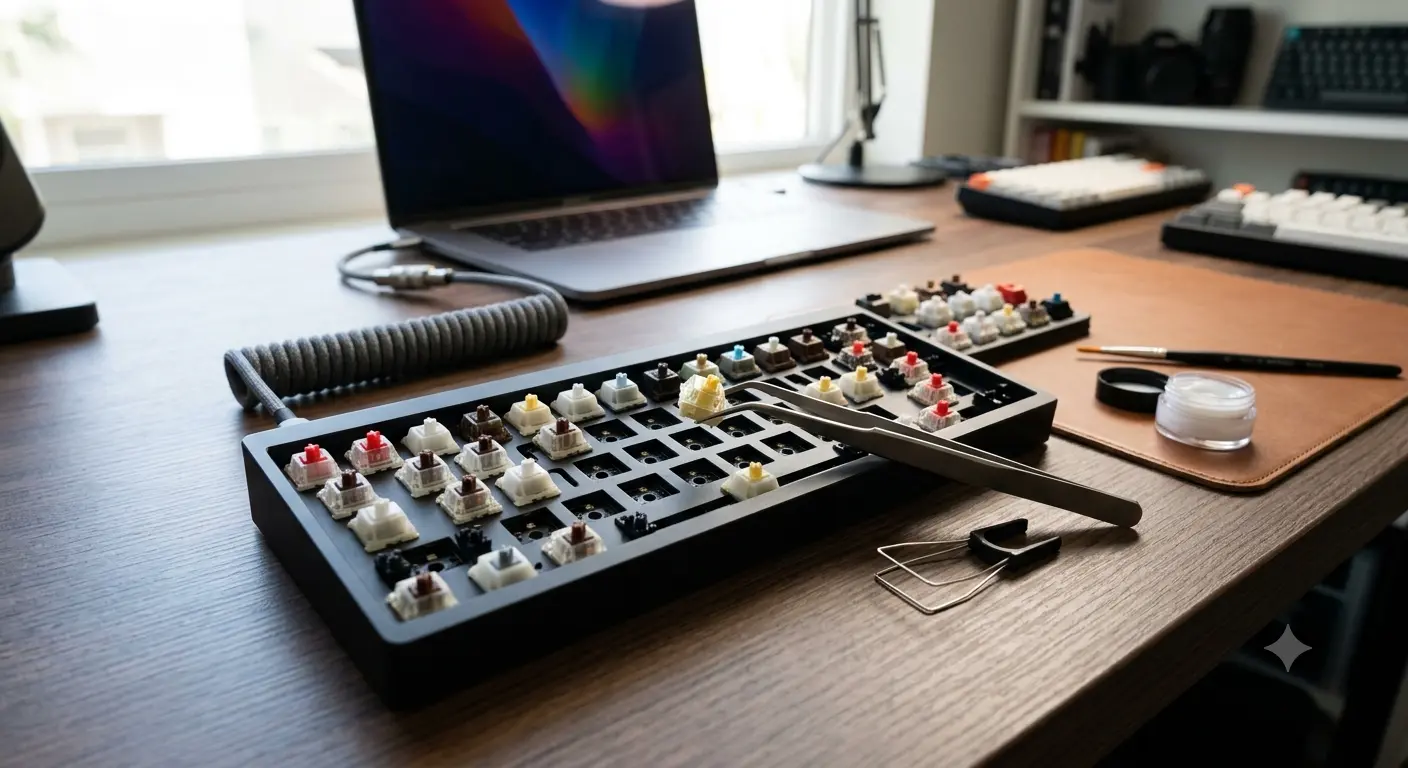
A hot-swap keyboard — one with socketed switch mounts rather than soldered connections — allows you to replace individual failed switches without any soldering equipment. Pull out the failing switch, insert a new one, done. This fundamentally changes the lifespan equation for the keyboard as a whole.
With a hot-swap board, a keyboard can theoretically last decades: as individual switches fail (whether from chattering, liquid damage, or accumulated wear), they are replaced one by one. The keyboard body, PCB, and plate can remain in service indefinitely. For heavy users who would otherwise replace an entire keyboard when a few switches fail, hot-swap is a significant investment.
A hot-swap mechanical keyboard used properly — kept clean, liquid-free, and with individual switch replacement as needed — can realistically last 10–20+ years as a functioning daily driver.
To understand the internal mechanisms that determine switch durability, read How Mechanical Switches Work . Keeping switches lubed extends their practical life significantly — see How to Lube Mechanical Switches . And for help selecting a keyboard built to last, our keyboard buying guide.
Frequently Asked Questions
Looking for a Keyboard Built to Last?
Hot-swap, quality switches, and solid build quality are the durability trifecta. Our buying guide walks you through what to look for.
How to Choose a Mechanical Keyboard ?By Jota Martínez • Published June 14, 2026 • How to Lube Switches ?
Related Articles
Hall Effect Switches Explained: The 2026 Buyer's Guide
Discover what Hall Effect switches are, how they work, their advantages and the best models of 2026. Complete guide to choose your next magnetic keyboard.
Complete Guide to Keyboard Switches (2026)
Everything about mechanical keyboard switches: how they work, all switch types, key specs, top brands (Cherry, Gateron, Kailh), and how to choose the right one.
Linear vs Tactile vs Clicky Switches: Which Is Best?
Linear, tactile, or clicky switches — what's the real difference? A practical breakdown of all three switch types with top picks for gaming, typing, and office use.