The Origin of QWERTY Layout — And Whether Dvorak Is Actually Better
By Jota Martínez • • History of Mechanical Keyboards

Ask anyone why the keyboard is laid out the way it is and you'll hear the same myth: QWERTY was deliberately designed to slow typists down to prevent typewriter jams. It's a clean, compelling story. It's also almost entirely false.
The real history of QWERTY is more interesting — and more relevant to the question of whether you should actually switch to Dvorak or Colemak. Understanding where QWERTY came from is the only honest starting point for evaluating whether switching layouts is worth it.
This article covers the actual history, what Dvorak genuinely offers, what independent studies say (rather than the ones Dvorak himself funded), and who — if anyone — should seriously consider switching.
The True History of QWERTY
Christopher Latham Sholes developed the QWERTY layout for his Sholes and Glidden typewriter in 1873. The arrangement was not random, and it was not designed to slow typists down. The most credible historical research suggests the layout was optimized for a very specific group of users: Western Union telegraph operators who needed to transcribe Morse code quickly.
Telegraph operators received code in their ears and typed it out in real time. The QWERTY layout placed common Morse code bigrams — pairs of letters that frequently appear together in Morse sequences — in positions that made rapid alternating strokes easier. This is why letters like "e", "t", "a", "o", "i", and "n" are distributed across the home row and upper row rather than clustered.
The "deliberate slowdown" theory was popularized in the 1980s by economists who used it as a case study in path dependency — the idea that early choices lock in suboptimal standards. The research has since been substantially challenged. The typewriter jam problem did exist, but the layout solution was more nuanced than "put common letters far apart." QWERTY ended up as a practical compromise optimized for the dominant use case of 1873.
The Dvorak Layout: What It Actually Promises
August Dvorak, a professor at the University of Washington, patented his Simplified Keyboard in 1936. Dvorak designed the layout from first principles using letter frequency data, finger strength analysis, and ergonomics research that didn't exist when Sholes designed QWERTY. The theoretical foundation is genuinely solid.
Dvorak's core design principles were:
| Vowels left, consonants right | All five vowels (A, O, E, U, I) occupy the left home row. The most common consonants (D, H, T, N, S) fill the right home row. This maximizes hand alternation on most English words. |
| Home row dominance | Around 70% of common English text can be typed on the home row in Dvorak, versus roughly 32% in QWERTY. In theory this drastically reduces finger travel. |
| Stronger fingers for common keys | The most frequently used keys are assigned to the index and middle fingers — the strongest digits — rather than the pinkies. |
| Inward rolls preferred | Common letter sequences are arranged to produce inward finger rolls (from pinky toward index) rather than outward awkward reaches, which are mechanically faster and less fatiguing. |
What the Science Really Says
Here is where the Dvorak story gets complicated. The most cited evidence for Dvorak's superiority comes from a 1944 U.S. Navy study that found Dvorak typists significantly outperformed QWERTY typists. There is one significant problem: the study was directed by Lieutenant Commander August Dvorak — the layout's inventor. The conflict of interest is obvious, and later methodological reviews have found serious problems with the study design.
Independent studies conducted since the 1970s consistently find much smaller differences. A rigorous 1996 analysis by Liebowitz and Margolis examined the available evidence and found that the speed advantage for Dvorak, if it exists at all, is approximately 5–10% for trained typists who learned Dvorak from scratch — not converts from QWERTY. For someone who already types at 70 WPM in QWERTY, switching to Dvorak might eventually get them to 74–77 WPM. After a transition period estimated at 50–100 hours of deliberate practice during which their speed drops to 20–30 WPM.
For repetitive strain injury (RSI) and ergonomics, the evidence is more interesting. Some studies suggest that reduced finger travel does correlate with lower strain over long sessions. But the effect is confounded by typing posture, keyboard tilt, and desk height — factors that are usually more impactful than layout choice.
| Layout | Adoption | Learning Curve | Speed Ceiling | Ergonomics Score | Hand Alternation |
|---|---|---|---|---|---|
| QWERTY | ~95% worldwide | Already learned | High (ceiling: ~150 WPM) | 5/10 | Low (~47%) |
| Dvorak | <1% worldwide | High — 50–100 hrs | Marginally higher ceiling | 7.5/10 | High (~67%) |
| Colemak | <1% worldwide | Medium — 20–40 hrs | Similar to Dvorak | 8/10 | High (~62%) |
Who Should Actually Consider Switching?
Here is a realistic assessment of the four groups that commonly consider switching layouts:
The Bottom Line
QWERTY is not a deliberate sabotage of human productivity. It is a 150-year-old solution to a specific problem that no longer exists, and it has become so deeply embedded in infrastructure, muscle memory, and shared tools that the switching cost for most people is simply not worth the marginal gain.
Dvorak is a genuinely better-designed layout in the abstract. The uncomfortable truth is that "better designed" and "better for you personally" are not the same thing. If you type at 60 WPM in QWERTY and switch to Dvorak, the best realistic outcome after a painful transition period is 65–70 WPM. The keyboard you type on matters far more than the layout you use — and that is a much more tractable problem.
If you're interested in keyboard history, our Complete Mechanical Keyboards Guide covers the full context. The History of Mechanical Keyboards goes deeper on the typewriter era. And if the layout debate has made you rethink your current setup, our guide on How to Choose a Mechanical Keyboard.
Frequently Asked Questions
Thinking About Upgrading Your Keyboard?
Layout is just one piece of the puzzle. Find out which mechanical keyboard is actually right for your use case, budget, and typing style with our step-by-step guide.
How to choose your keyboard ?By Jota Martínez • Published June 14, 2026 • See: History of Mechanical Keyboards ?
Related Articles

The History of Mechanical Keyboards: From Typewriters to Endgame
Mechanical keyboards were invented in 1868 with the first typewriter. Learn the full timeline: IBM Model F (1981), Cherry MX (1983), the dark age, and the modern revival.
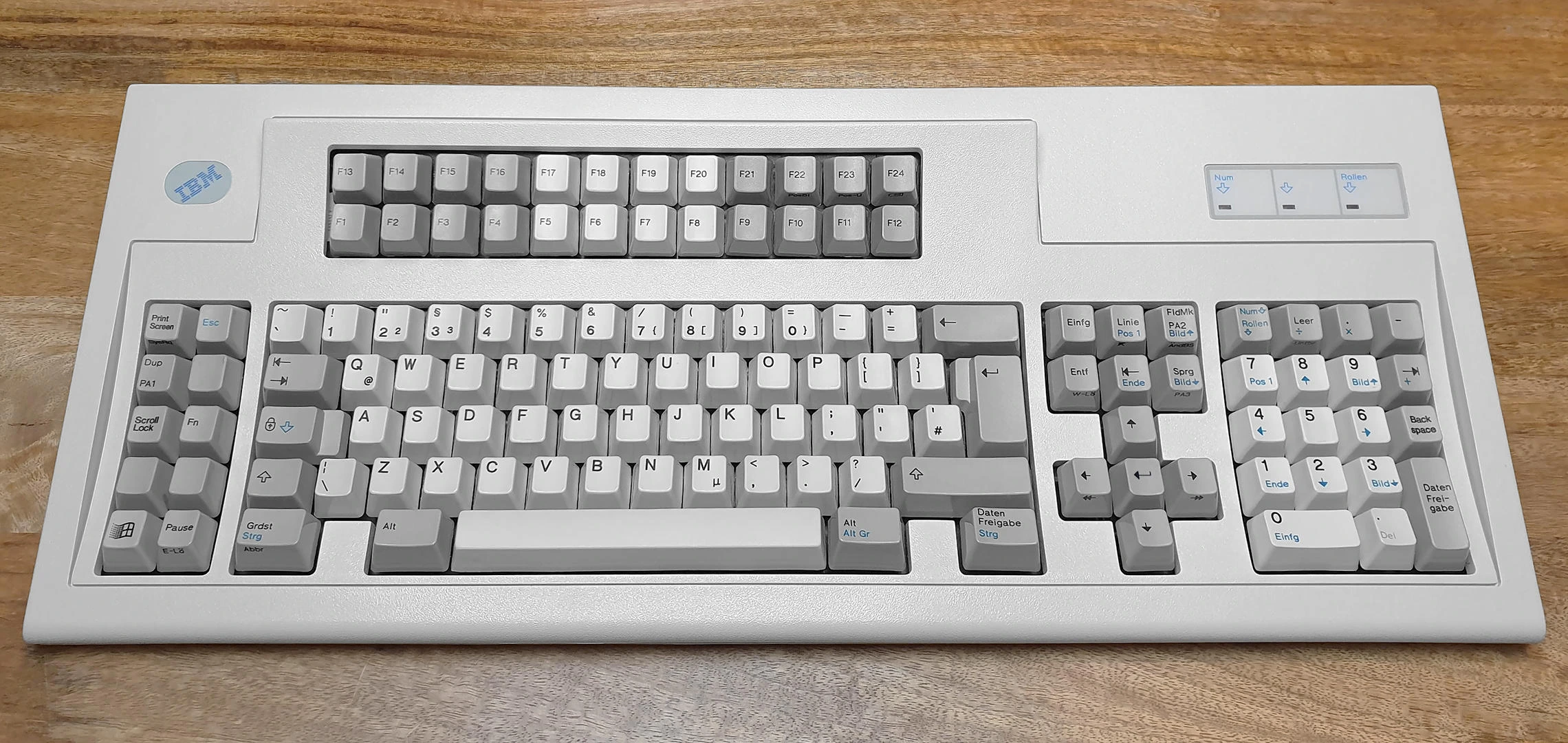
The IBM Model M: Why This 40-Year-Old Keyboard Is Still Legendary
The complete story of the IBM Model M: buckling spring switches, 2.2kg steel backplate, 40 years of daily use, and why enthusiasts still pay $200+ to own one.