The IBM Model M: Why This 40-Year-Old Keyboard Is Still Legendary
By Jota Martínez • • Blog
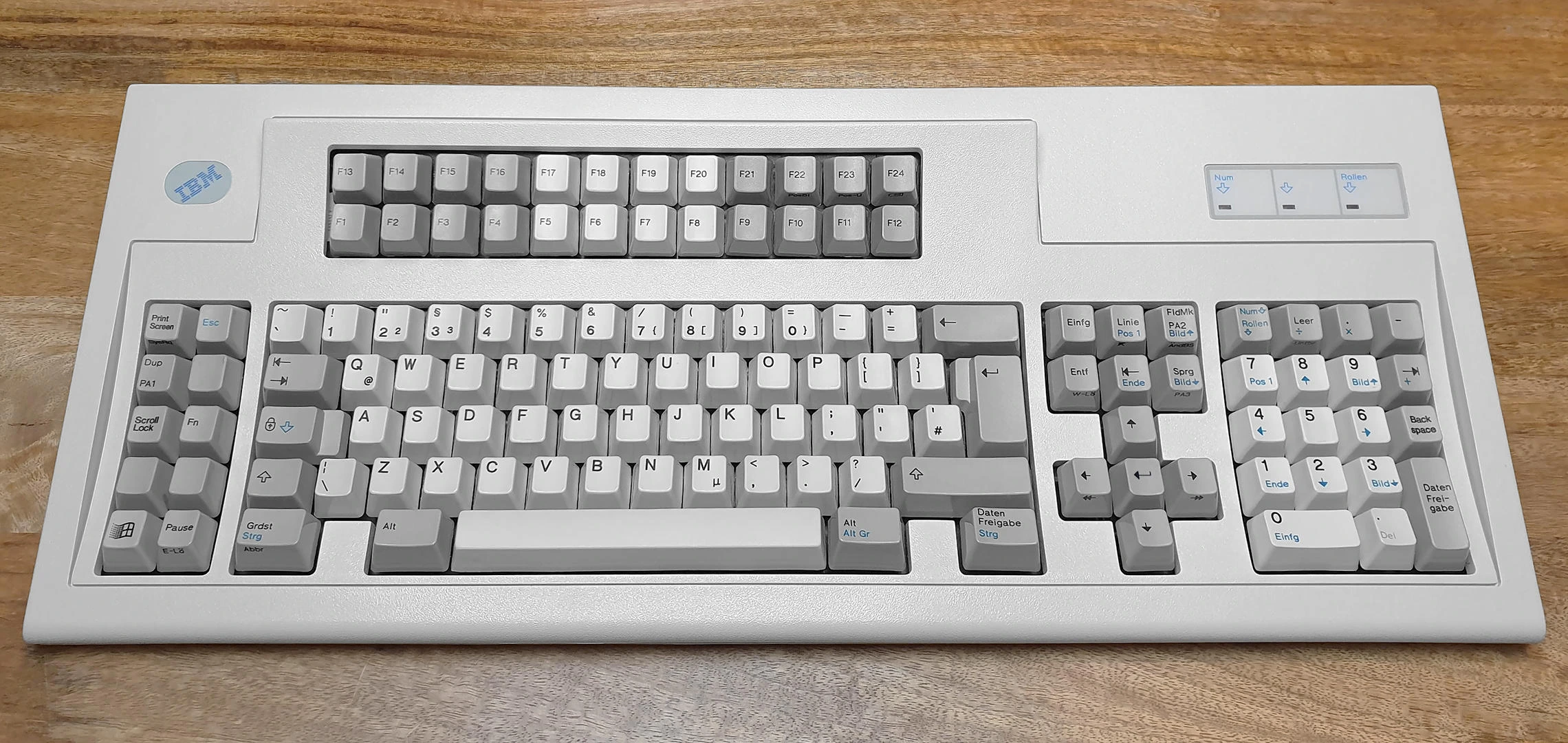
In 1984, IBM shipped a keyboard that weighed 2.2 kilograms. It was loud enough to be heard through walls. It outlasted the computers it was designed for by decades. It is still in daily active use by tens of thousands of people — many of them on units that are older than their owners.
The IBM Model M is the most celebrated keyboard in computing history. Understanding why requires understanding what it does differently from everything built before or after it — and what that difference means for the modern keyboard market it quietly inspired.
What Is the IBM Model M?
The Model M is a full-size keyboard (101 or 102 keys, depending on region) produced by IBM beginning in 1984 and continuing in various forms through the early 1990s. It used the AT keyboard connector (later adapted to PS/2) and was shipped with IBM PC AT, XT, and compatible systems as the standard input device.
Its defining characteristic is the buckling spring mechanism. Unlike the sliding stem-and-housing design of Cherry MX or Gateron switches, the Model M uses a different architecture entirely: a coil spring beneath each key that buckles — rather than compresses — under pressure.
The Buckling Spring Mechanism
Here is how a buckling spring works. Under each key, a vertical coil spring is held in compression. As you press a key, the spring is pushed downward. At a specific point — the actuation point — the spring buckles sideways rather than continuing to compress. This lateral snap activates the electrical contact beneath it, and simultaneously produces a sharp, pronounced tactile bump and a loud, high-pitched click.
The click of a buckling spring is genuinely different from a Cherry MX Blue or any other modern clicky switch. It's produced by the metal spring itself snapping sideways, not by a plastic mechanism. The sound is sharper, higher, and more metallic. The tactile event is more defined — a cleaner snap than the gradual bump of Cherry MX Browns or the click jacket of MX Blues.
The Model F (1981, IBM's predecessor to the Model M) used a capacitive version of this mechanism — more precise, with a deeper click. The Model M simplified it to a membrane contact, sacrificing some precision for manufacturing cost. Both are significantly different from any switch in the current market.
Build Quality: The Steel Backplate
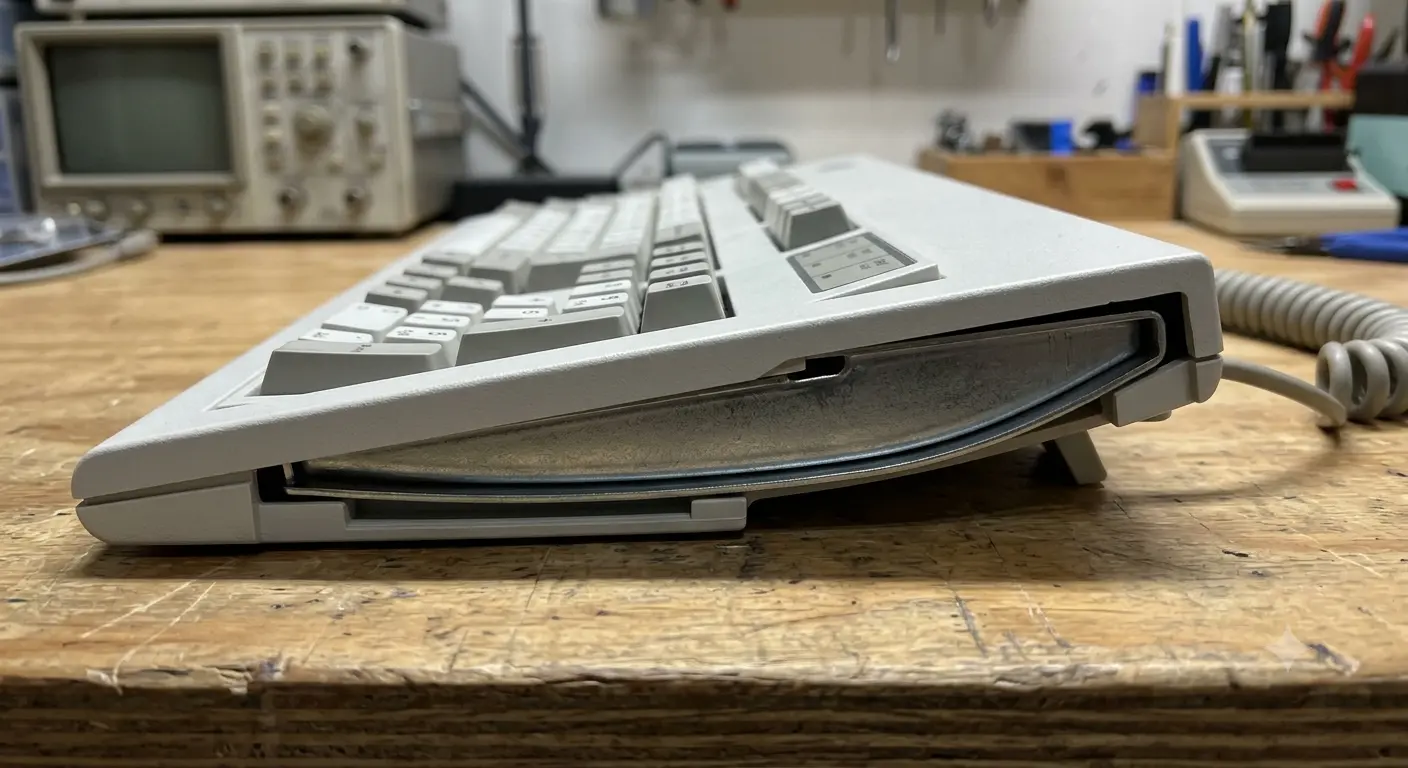
IBM Model M side profile - steel backplate weight
The Model M's reputation for durability is justified by its construction. The keyboard uses a steel backplate — a thick sheet of steel that anchors the switch mechanisms and gives the keyboard its characteristic 2.2 kg weight. The case is high-quality ABS, with a beige colorway that has become known in the community as "beige" or "vintage white."
The rivets that hold the mechanism assembly to the case are a known failure point on aged units — they can crack or loosen, causing inconsistent key feel. The "bolt mod" (replacing rivets with screws) is a popular maintenance procedure that fixes this and often improves the typing feel simultaneously.
The key structure means Model M keyboards manufactured in 1984 still function correctly today with minimal maintenance. The switches themselves have essentially no wear-out failure mode at human typing speeds — the buckling spring is metal, and the membrane contact is not subject to mechanical wear from normal use.
Who Makes the Model M Today?
IBM's keyboard division passed to Lexmark (an IBM spinoff) in 1991. Lexmark continued manufacturing the Model M until 1996, when they sold the tooling and manufacturing rights to Unicomp — a company founded specifically to continue production.
Unicomp operates in Lexington, Kentucky, using original IBM/Lexmark tooling. They currently manufacture the Unicomp Ultra Classic ($109), Classic ($89), and Mini Model M ($109) — all using authentic buckling spring mechanisms. Unicomp keyboards are the only new buckling spring keyboards available today.
Vintage Model M keyboards are widely available on eBay, Craigslist, and estate sales, typically in the $20–80 range depending on condition. Cleaning and bolt-modding a vintage unit is a popular project in the keyboard community.
Why Do Enthusiasts Still Love It?
The honest answer is that the buckling spring mechanism produces a typing experience that nothing else replicates. The combination of the sharp tactile snap, the loud metallic click, and the definitive reset creates a rhythm to typing that dedicated users describe as "addictive." Once accustomed to it, all other switches feel imprecise by comparison.
There's also the provenance. The Model M was the keyboard that professional programmers, writers, and engineers used at the height of computing's most creative period. It carries the weight of history. For many enthusiasts, it's a direct connection to the culture of computing in its most formative years.
And practically: it's a keyboard that simply works. No drivers, no software, no RGB, no wireless latency concerns. Plug it in (via adapter if needed for modern USB) and type. The mechanism requires no maintenance under normal use and has no electronic failure modes beyond the rare controller board issue.
The Honest Downsides
The Model M is not the right keyboard for everyone, and some of its limitations are significant.
| # | Limitation |
|---|---|
| 01 | Volume: The Model M is one of the loudest keyboards ever made. Open-plan offices, libraries, and shared spaces are not appropriate environments. |
| 02 | Layout: The original 101/102-key layout has no Windows key (pre-Windows design). Unicomp modern units have added it, but vintage boards require workarounds. |
| 03 | No programmability: No QMK, no macros, no custom layouts. What's printed is what you get. |
| 04 | Weight: 2.2 kg is not trivial for travel or for users who reposition their keyboard frequently. |
| 05 | Connector: Vintage units use PS/2, requiring a USB adapter. Adapters work reliably for most use cases. |
The Model M's Legacy
The Model M didn't just survive — it catalyzed. The enthusiast keyboard revival that began around 2007 was explicitly motivated by a desire to recapture what the Model M represented: a keyboard that felt definitively real, where every keystroke had physical consequence, and where typing had a tangible rhythm.
The switch market today is, in part, a decades-long project to develop modern alternatives with some of Model M's character: Topre electrostatic switches, Niz switches, and custom buckling spring projects have all drawn direct inspiration from the original mechanism. None of them have fully replicated it.
Frequently Asked Questions
Learn more about keyboard history ? History of mechanical keyboards: from typewriters to today
Understand modern switch design ? How mechanical switches work
Best Mechanical Keyboards 2026Related Articles

The History of Mechanical Keyboards: From Typewriters to Endgame
Mechanical keyboards were invented in 1868 with the first typewriter. Learn the full timeline: IBM Model F (1981), Cherry MX (1983), the dark age, and the modern revival.

The Origin of QWERTY Layout — And Whether Dvorak Is Actually Better
The myth that QWERTY was designed to slow typists is false. Learn the real history of QWERTY, what Dvorak actually promises, and what modern science says.